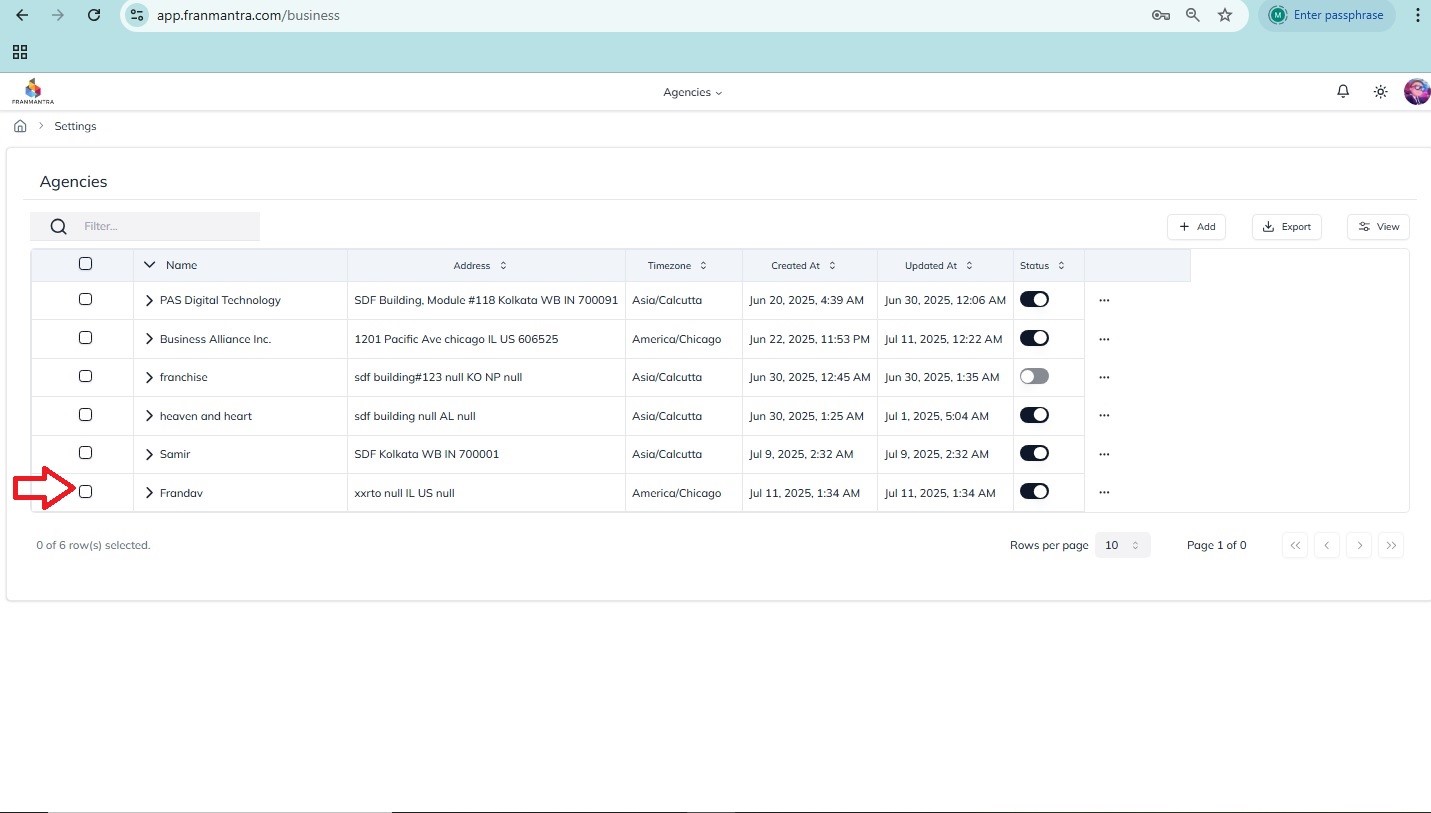
How to add an agency
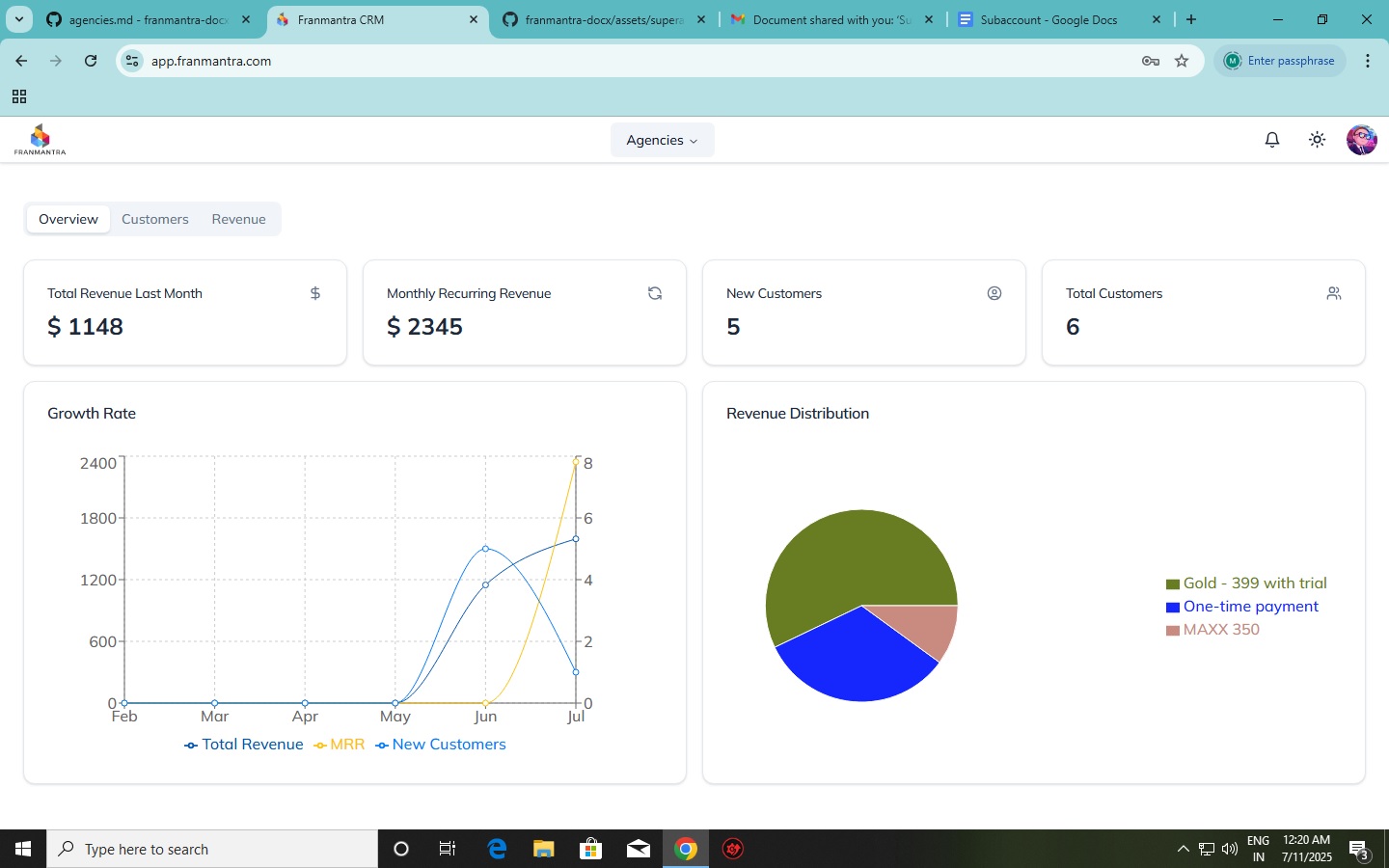
Upon accessing your account you enter your account dashboard
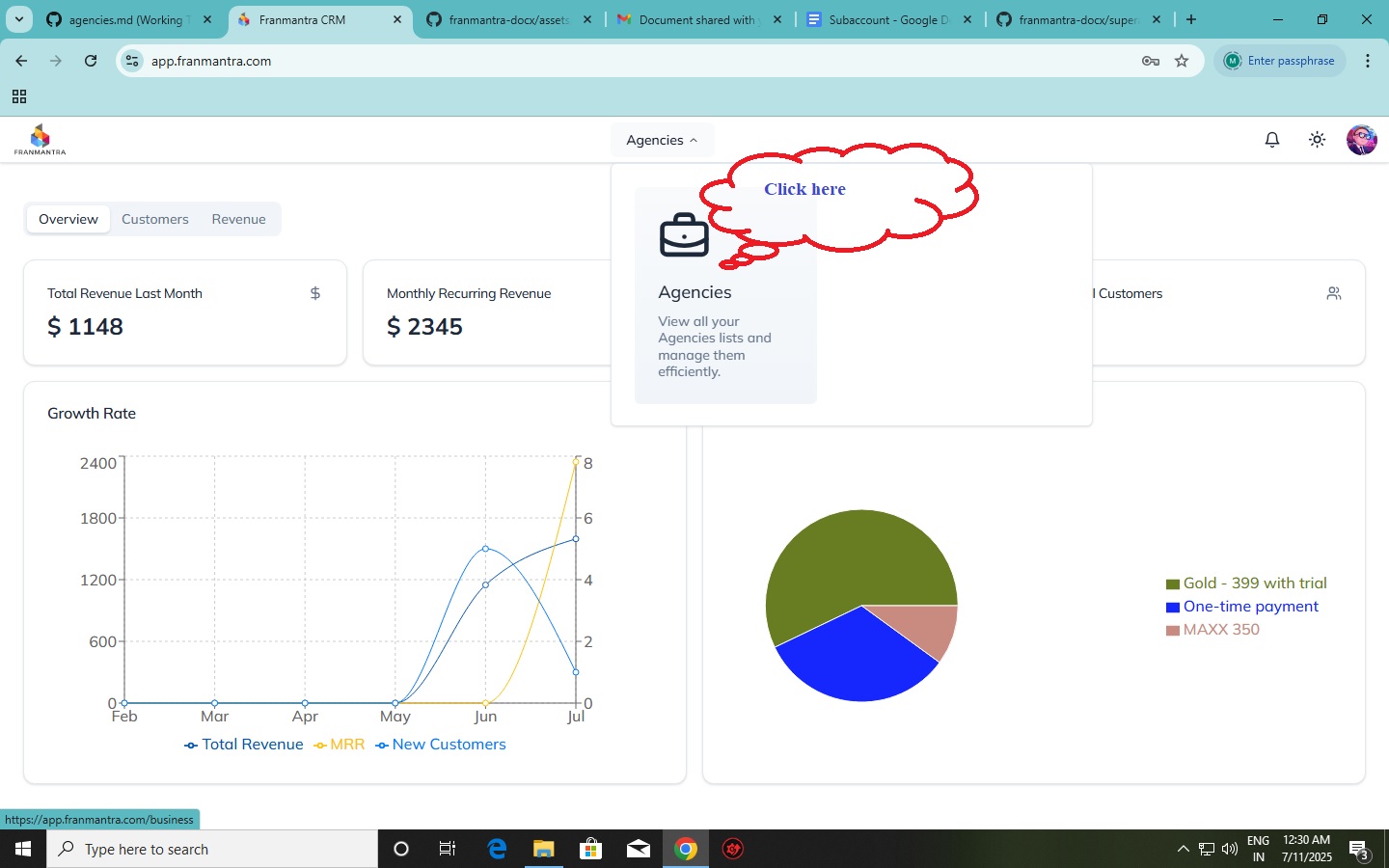
To access agencies page navigate the curser to the agencies tab and click in the agencies dropdown box.
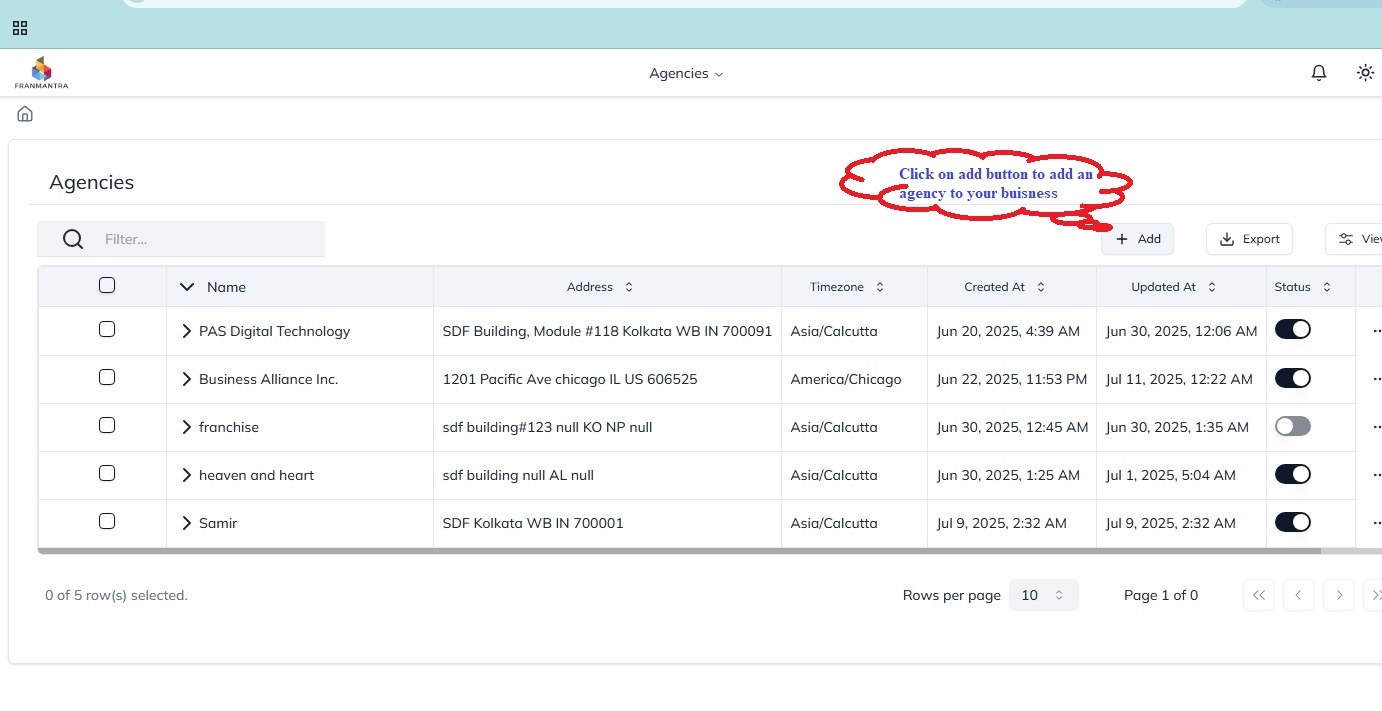
Click on the add agency button to add an new buisness/ agency
Once you click on add agency your creat a new buisness page will appear
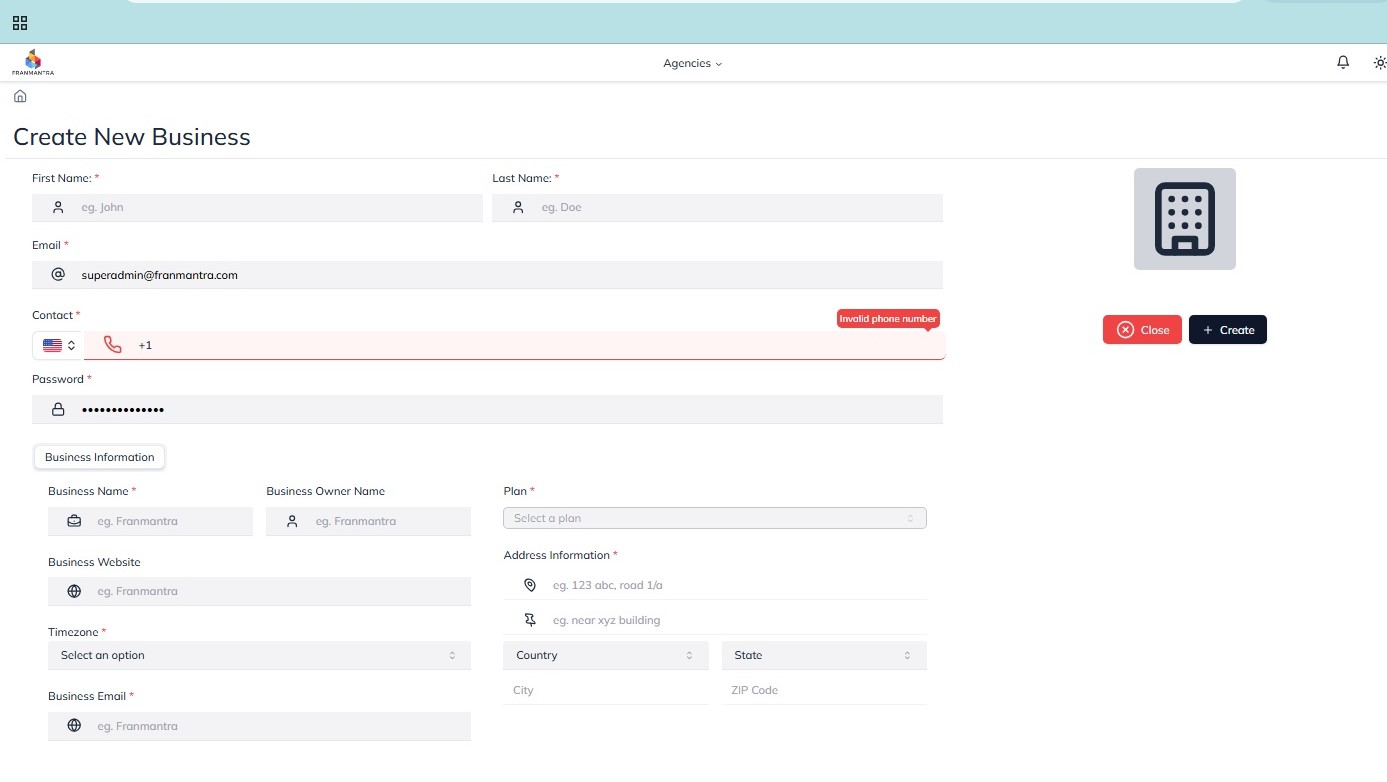
Once you fill the relevenyt information of your new buisnness clock on the creat button to add it to your agencies
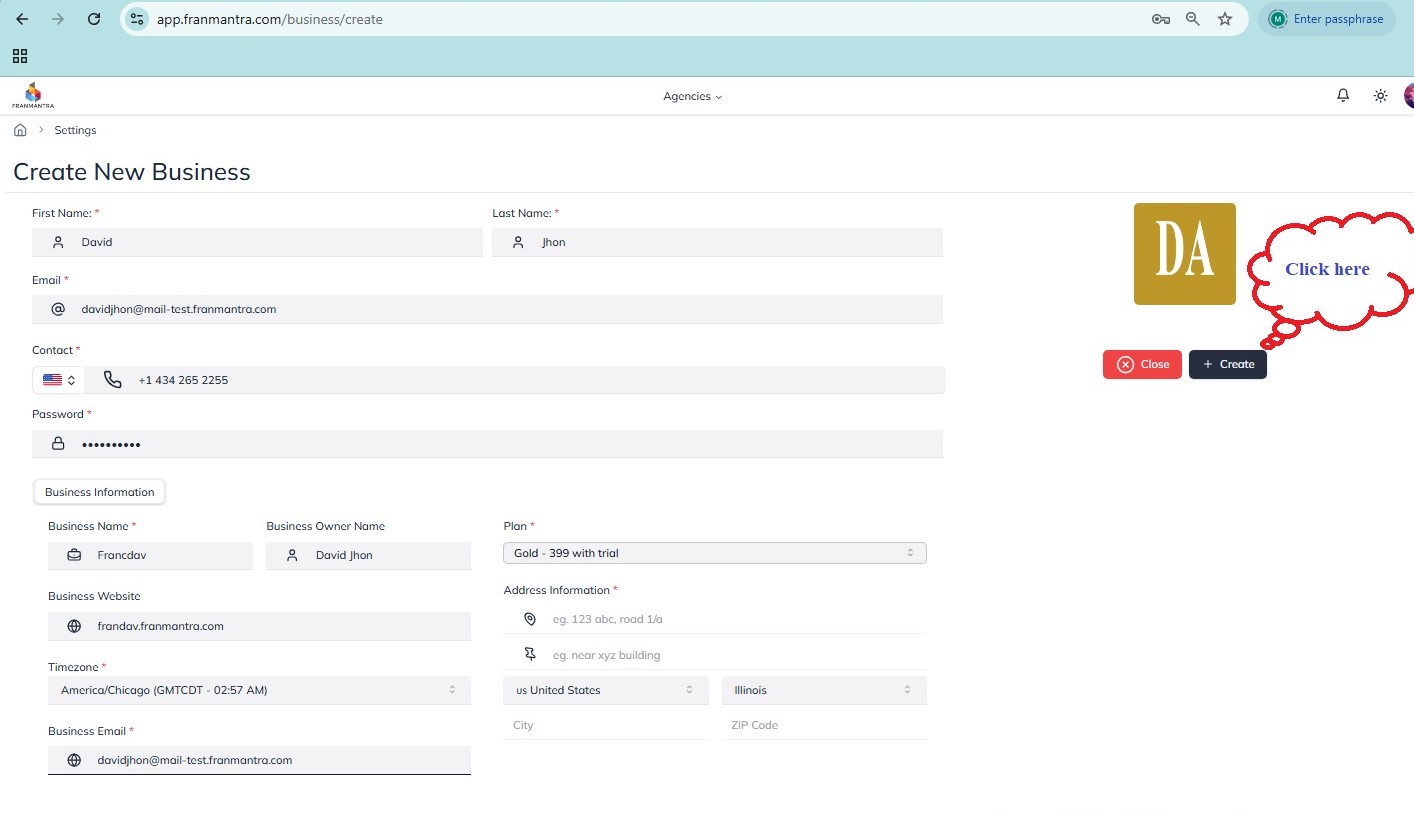
Upon hitting the create button your new buisness will start appearing in the agencies list from where you acn monitor and control it