Create a Plan
Create a subscription plan for agencies from the Super Admin settings area.
Before You Start
- Make sure you are logged in as Super Admin.
- Decide the plan name, features, and limits before you start.
Steps
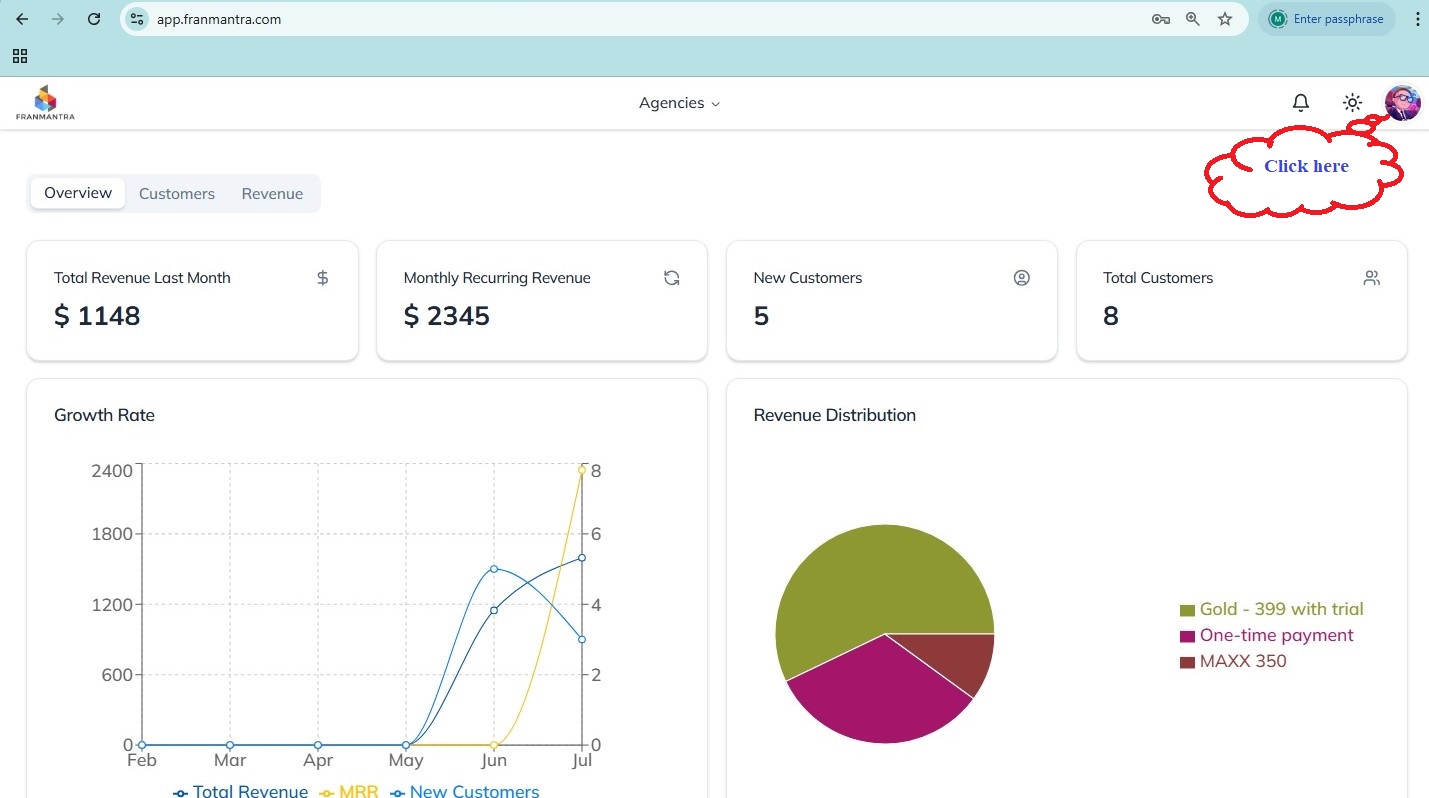
- Click your account icon in the top-right corner of the page.
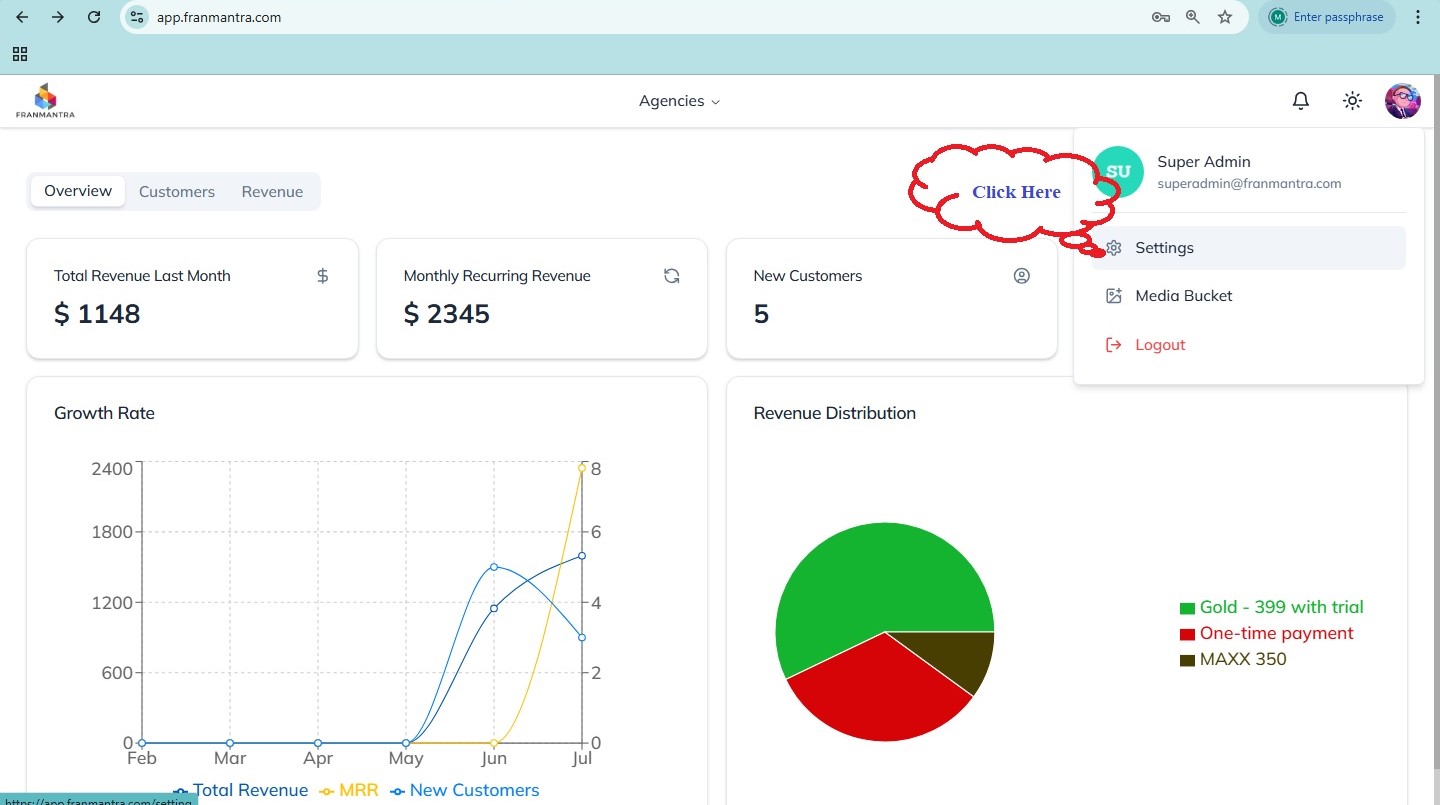
- Open Settings from the dropdown menu.
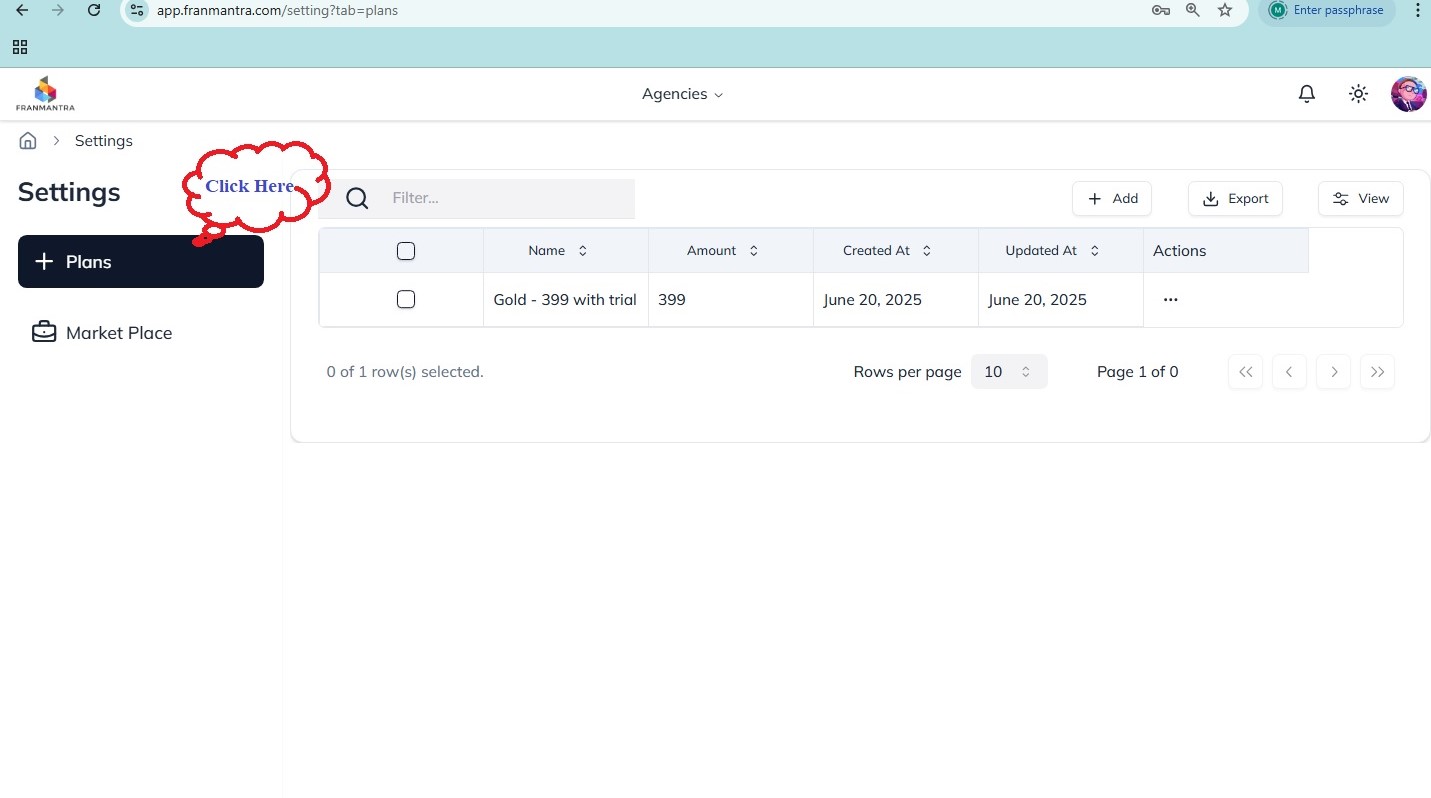
- Open the Plans tab.
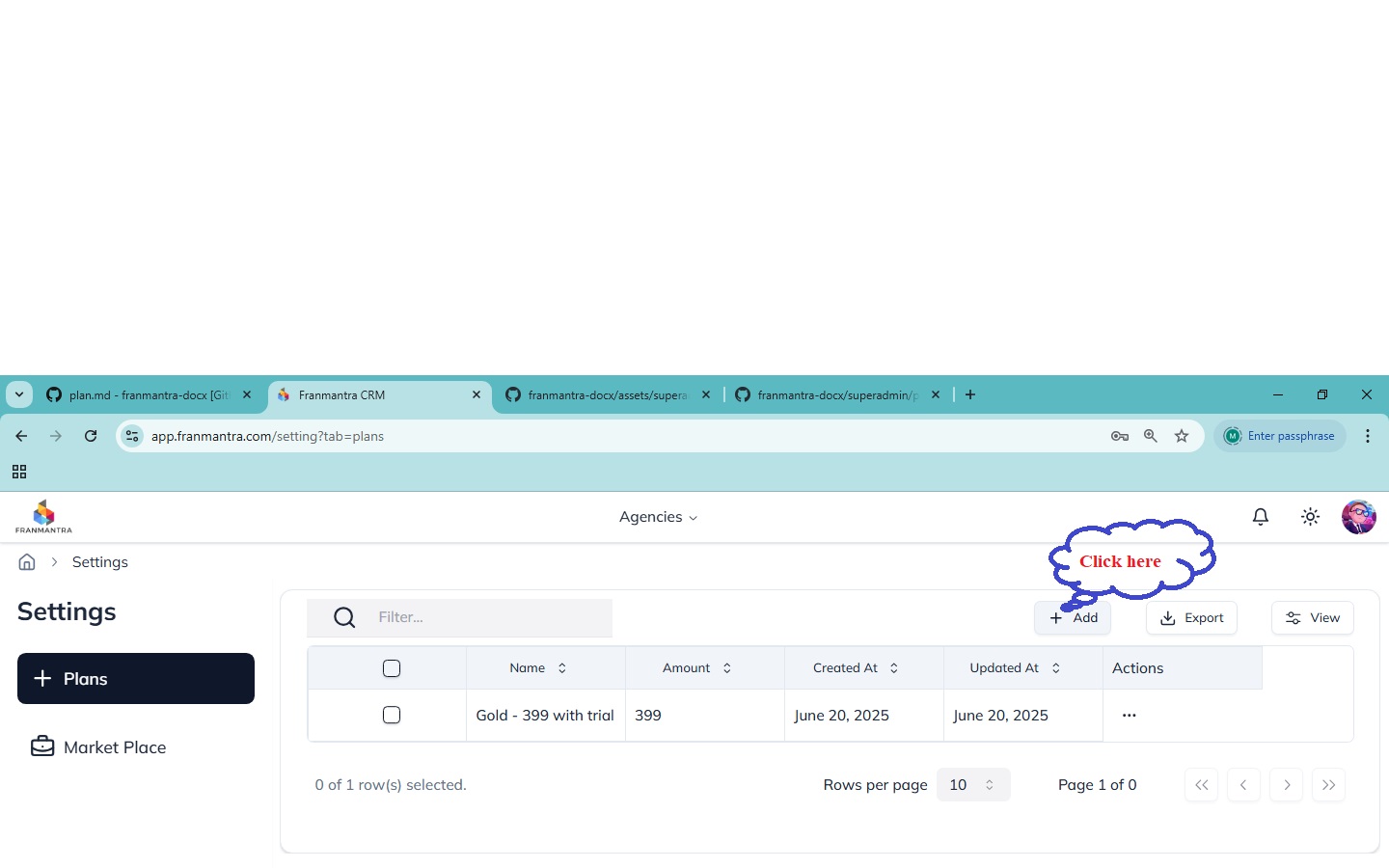
- Click Add Plans to create a new subscription plan.
- Fill in the required fields for the plan you want to create.
- Click Create Plan to save it.
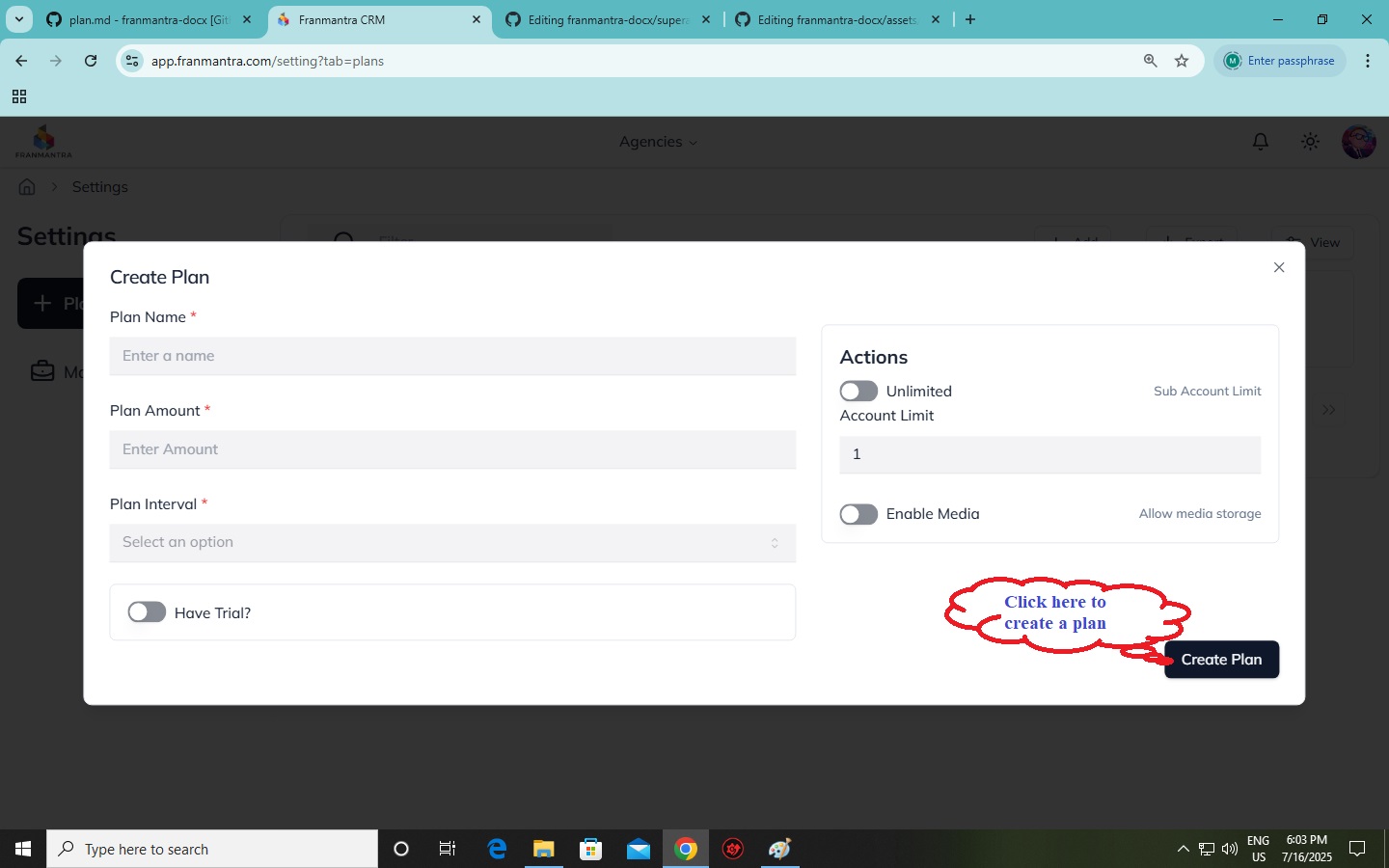
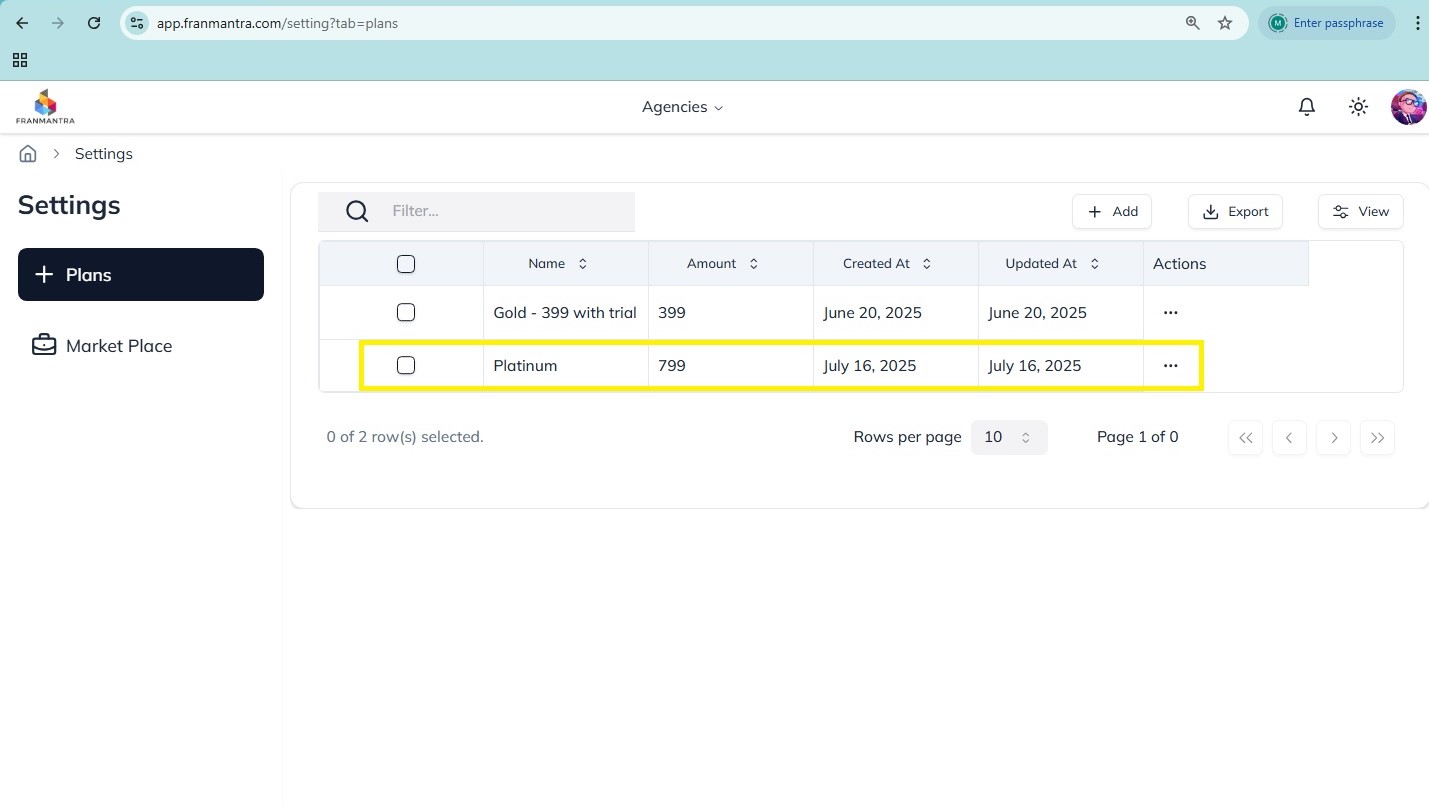
- Review the plans list to confirm the new plan appears there.
What Happens Next
The new plan becomes available in the plans list and can be used for agencies.
Notes
- Use clear plan names so they are easy to identify later.
- Check the features and limits carefully before you save.