Renew an Expired Invitation
Renew an expired agency invitation instead of creating a brand-new one again.
Before You Start
- Make sure you are logged in as Super Admin.
- Make sure the invitation already exists and shows the Expired status.
Steps
- Open the Agencies menu from the header.

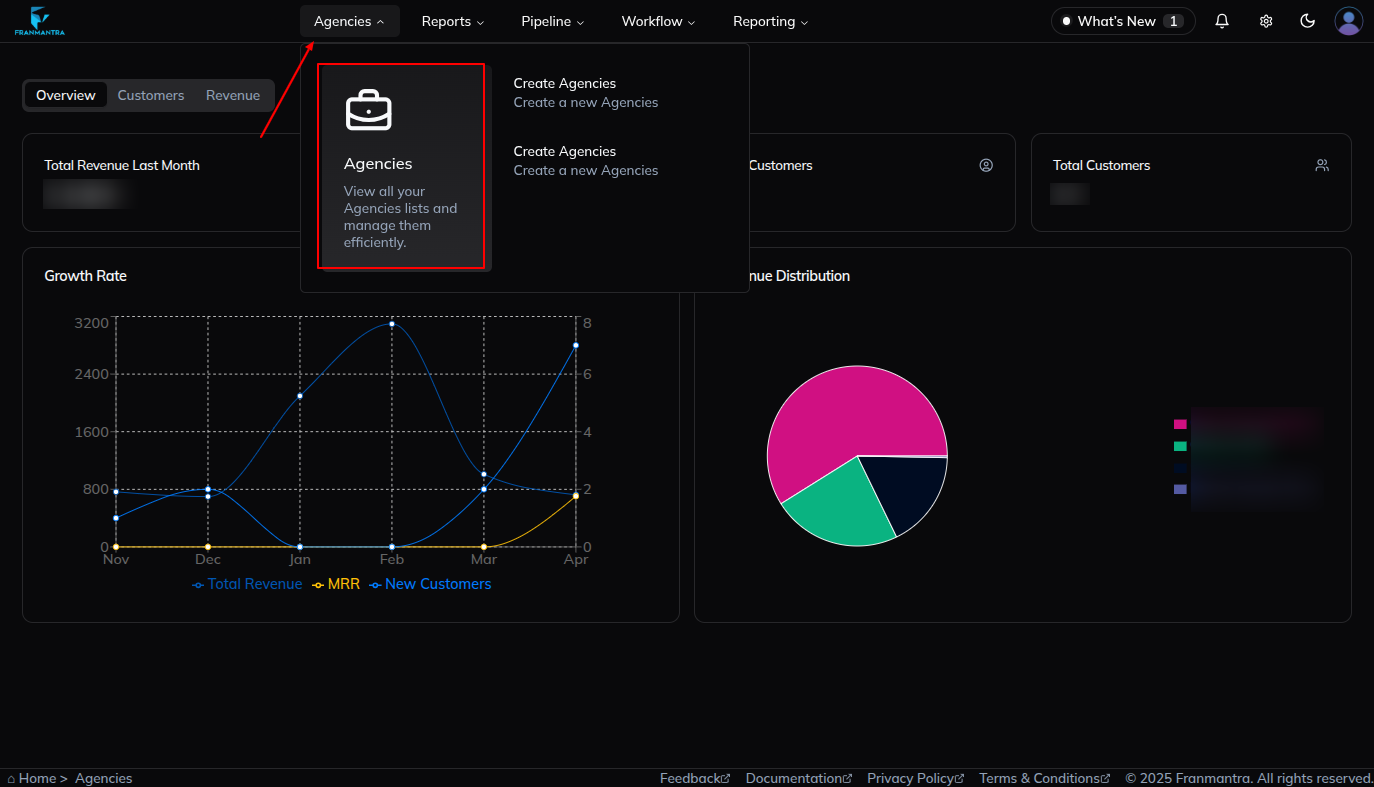
- Open the agency section.
- Click the Invitation tab.
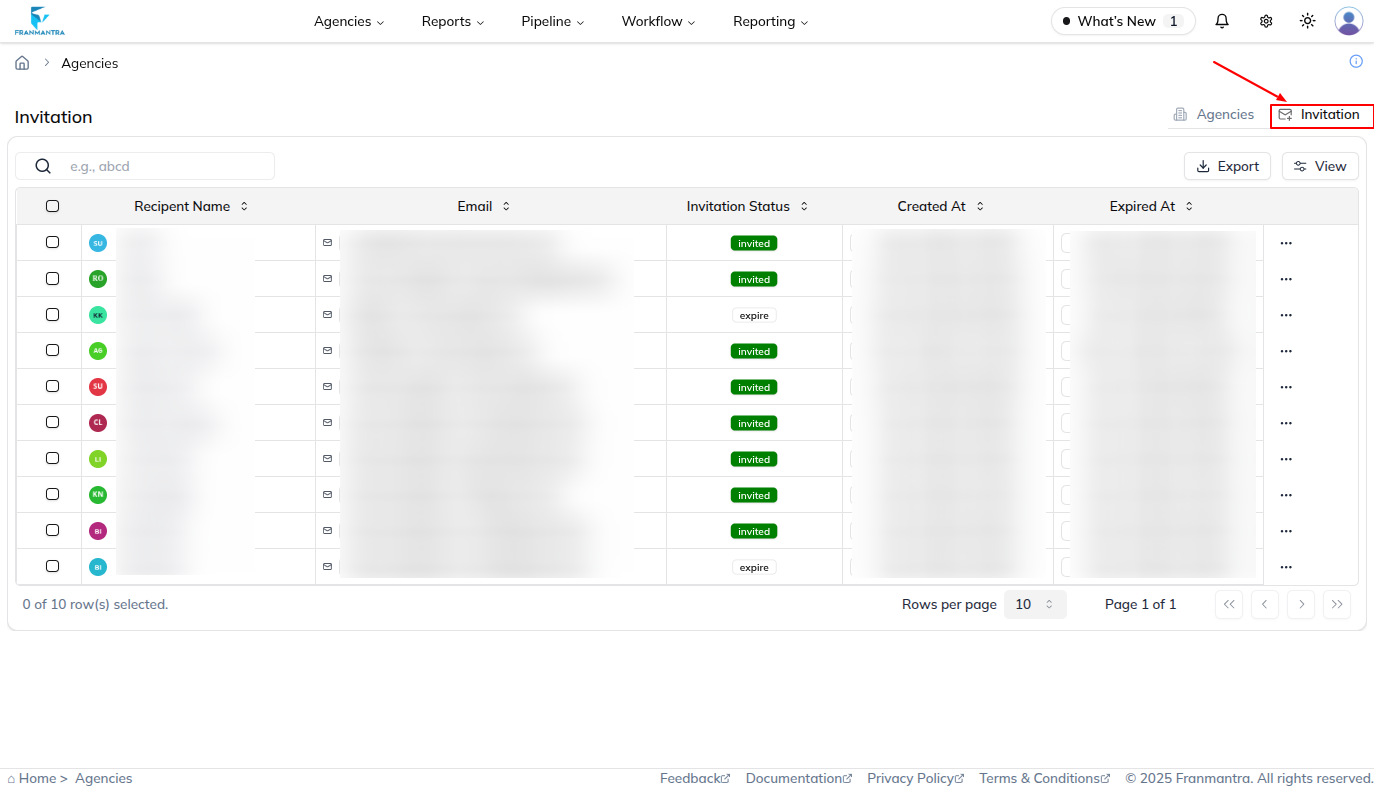
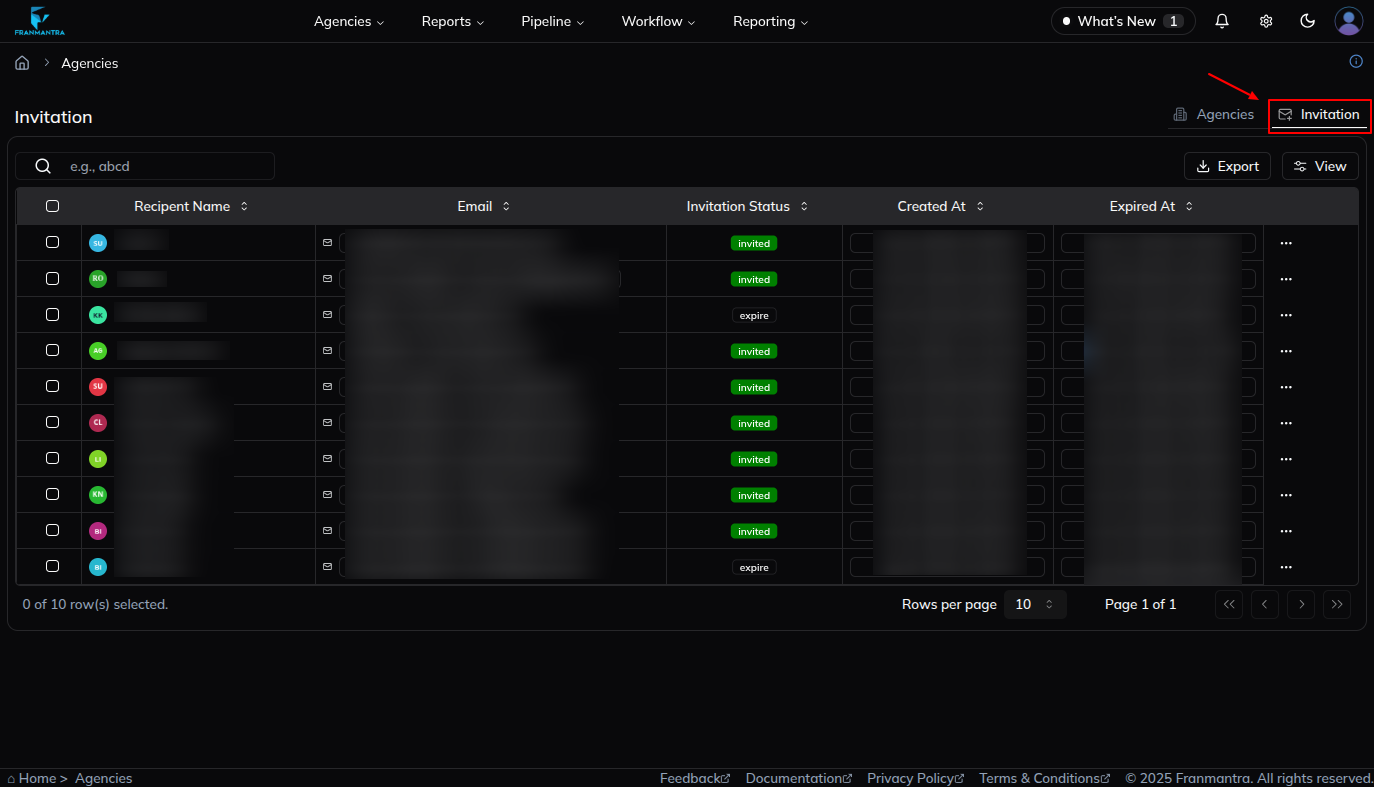
- Find the invitation that shows the Expired status.
- Open the three-dots menu for that invitation.
- Review the available options, such as Renew, Delete, and View.
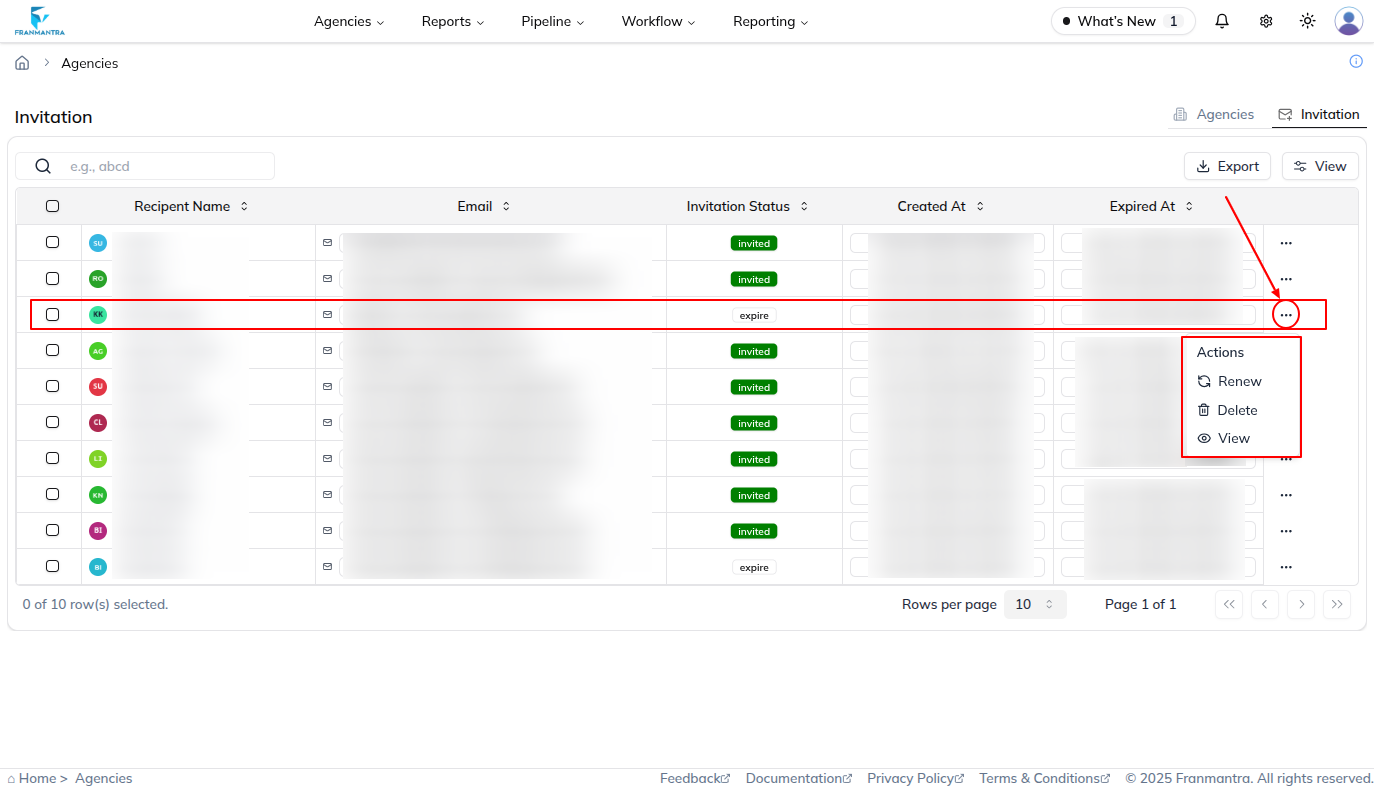
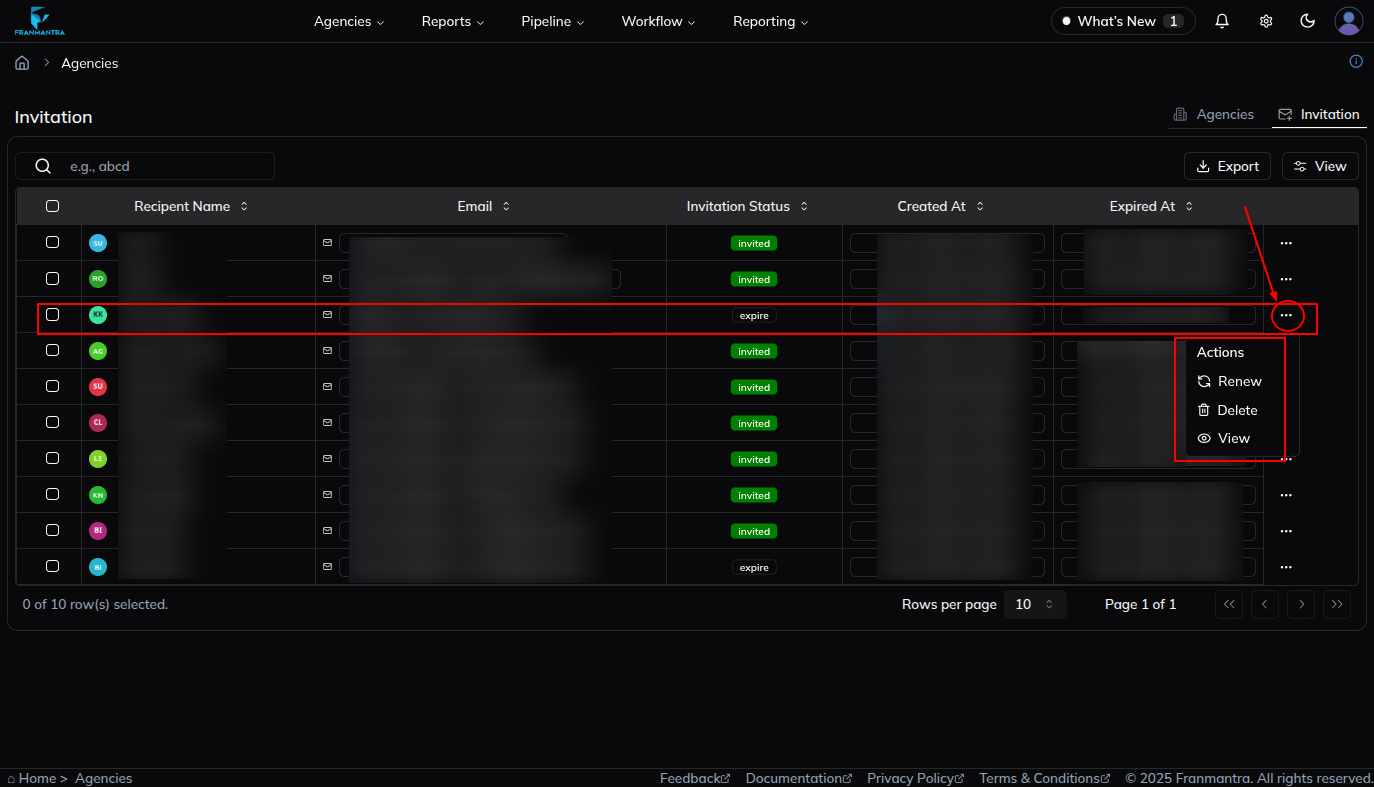
- Click Renew.
- Confirm the renewal in the popup.
What Happens Next
The invitation becomes active again and can be used by the recipient.
Notes
- Use Renew when the old invitation expired before the recipient accepted it.
- This keeps you from creating the same invitation from the start again.