Templates Module
What This Is
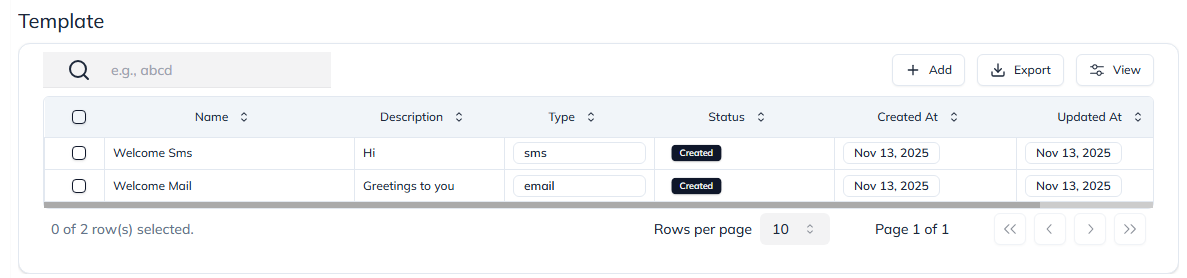
The Templates module stores reusable email and SMS content. Templates help your team send consistent messages without writing the same text again and again.
When To Use It
Use Templates when you want to:
- Save a common email or SMS message.
- Reuse messages in workflows or campaigns.
- Keep communication consistent across the team.
- Create email templates with text or HTML.
- Create short SMS templates.
- Share templates with sub-accounts when needed.
What You Can Do
In the Templates module, you can:
- Create email templates.
- Create SMS templates.
- Edit existing templates.
- View template status.
- Share templates with sub-accounts.
- Delete templates that are no longer needed.
Basic Workflow
- Open Settings > Template.
- Click Add.
- Choose the template type, such as email or SMS.
- Add the name, subject, and message content.
- Save the template.
- Use the template when sending messages or building workflows.
Example
You can create a welcome email template for new leads. Every salesperson can use the same message, which keeps communication clear and professional.
Notes
- Keep template names easy to understand.
- Check spelling before sharing or using a template in automation.
- Use SMS templates for short messages only.