Mail Parser

The Mail Parser module allows users to automatically extract data from incoming emails and map it into structured CRM fields. This page covers all major features, including table view, card view, actions, pagination, export, and the detail sheet.


1. Overview

The Mail Parser screen displays all existing email parsers created within the system. Each parser monitors a specific email address and automatically extracts data from messages to populate CRM entities.

Mail Parser OverviewMail Parser Overview

Figure 1: Mail Parser main screen showing list of parsers.


2. Core Features

FeatureDescription
List and Card ViewToggle between a table (list) and grid (card) layout. Each card or row displays key parser info such as name, domain, source, and email.
Detail SheetClicking a parser name or card opens a Mail Parser Detail Sheet, showing complete configuration details.
Breadcrumb NavigationThe page automatically registers in the app breadcrumb as Settings / Mail Parser.
Dynamic Data FetchingUses RTK Query hooks useLazyGetAllParserQuery and useGetAllParserForExportQuery for pagination, filtering, and exporting data.
Responsive ToolbarIncludes a Create Parser button and a sidebar toggle menu for mobile view.

3. Table View (DataTable)

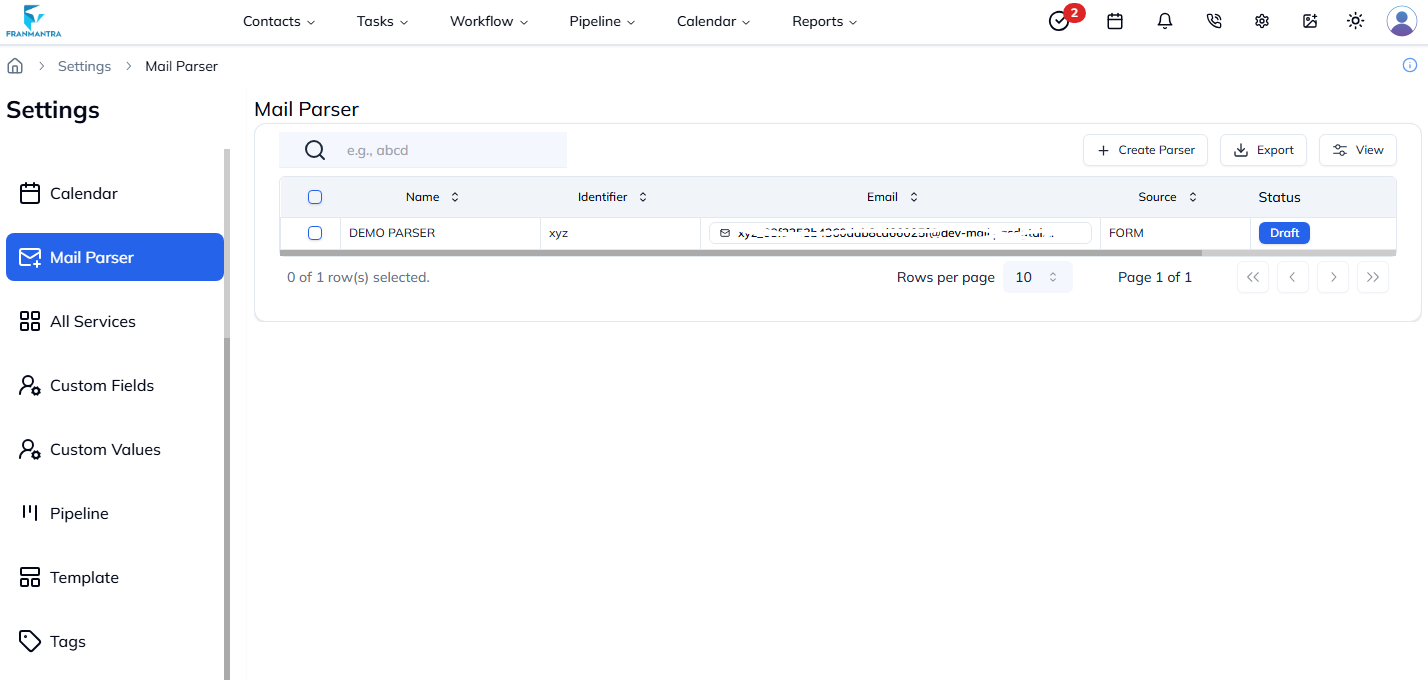
The table view displays all parsers in a structured tabular format using the shared DataTable component.

ColumnDescription
SelectAllows selecting multiple parsers for bulk actions.
NameDisplays the parser name (clickable to open details).
IdentifierUnique identifier for the parser.
EmailThe email address monitored by the parser.
SourceThe source or origin for parsing (e.g., Mailgun, Gmail, etc.).
StatusShows whether the parser is Published or Draft.
Created AtDisplays the creation date of the parser.
ActionsProvides options to View, Edit, or Delete the parser.
Mail Parser Table ViewMail Parser Table View

Figure 2: Mail Parser DataTable view with action menu.


4. Card View

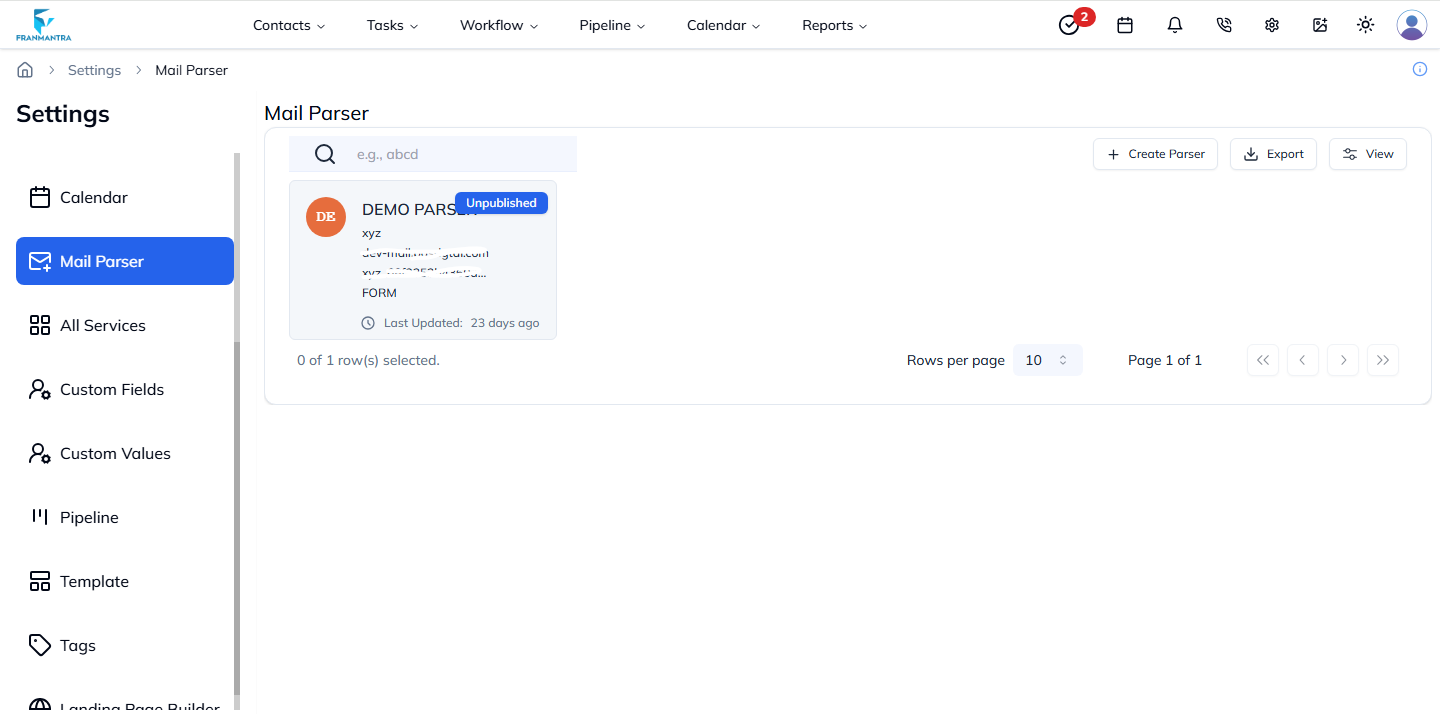
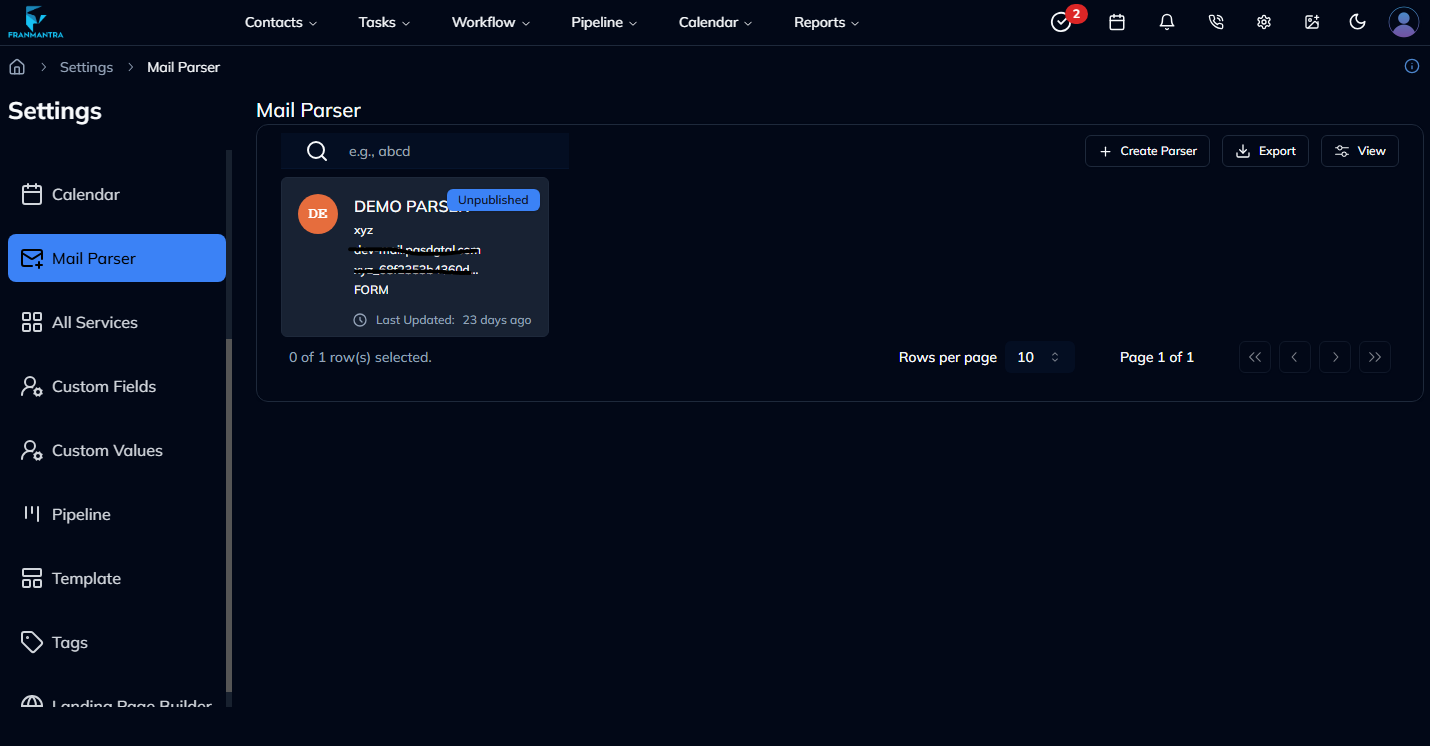
Each parser can also be viewed as a card (rendered by MailParserCard). Cards provide a clean overview of each parser’s data and status.

Card Elements

ElementDescription
Status BadgeDisplays Published or Unpublished in the top-right corner.
AvatarAuto-generated initials based on the parser’s name.
DetailsShows name, identifier, domain, email, and source.
TimestampDisplays "Last Updated" relative time using Luxon (toRelative()).
Mail Parser Card ViewMail Parser Card View

Figure 3: Mail Parser card view showing detailed parser info.


5. Actions Menu

Each row in the DataTable (and card) includes an Actions dropdown menu powered by the DropdownMenu component.

Available Actions

ActionDescription
ViewOpens the Mail Parser Detail Sheet to review the parser configuration.
EditRedirects to the Parser Builder screen (APP_URLS.CRM.PARSER_BUILDER?edit={id}).
DeleteTriggers a confirmation modal before deleting a parser (only available when parser is not published).

6. Mail Parser Detail Sheet

The ViewMailParserDetailSheet component provides an in-depth view of each parser’s data and configuration.

Key Details Shown

  • Parser name and identifier
  • Email and source
  • Domain
  • Status (Published / Unpublished)
  • Timestamps for creation and update

7. Toolbar & Export Options

The top toolbar includes:

  • Create Parser button – opens the Mail Parser Builder for creating new parsers.
  • Export – integrated via useGetAllParserForExportQuery, allowing export to CSV/Excel.

8. Pagination and Filtering

The DataTable supports full pagination and server-side filtering.

FunctionDescription
PaginationManaged using handlePaginationFunction(page, limit) to fetch the next data set.
FilteringUses handleFilterFn(filter, key, pagination) to refine results by keyword or specific filter criteria.
Dynamic UpdatesPagination and filtering updates trigger re-fetching via RTK Query for smooth UX.

9. Technical Stack

Component / LibraryPurpose
RTK Query (useLazyGetAllParserQuery, useDeleteParserMutation)API integration for CRUD operations.
LuxonDate formatting and relative time display.
Lucide IconsFor actions (Edit, View, Delete).
Sonner ToastsFor showing success messages after delete.
DataTableCustom reusable component for displaying structured data.
InitialsAvatarAvatar component generating initials from parser names.

10. Summary

The Mail Parser module provides an intuitive interface for managing, monitoring, and configuring automated email parsers. With its dual layout (table and card), integrated actions, export, and detailed sheet views, it ensures both visibility and control over every email parsing configuration.

Last updated: 13 Nov 2025