Customer Billing (SaaS Rebilling)
What This Is
Customer Billing is the agency area where you sell Franmantra CRM subscriptions to your own customers. Each customer works in a separate workspace called a sub-account. The feature is also called SaaS Rebilling because the agency resells the CRM to its customers.
Customer Billing has three parts:
- Plans define what a customer pays and what the customer workspace can use.
- Coupons reduce the price for a chosen plan, customer, or period.
- Sub Accounts show each customer workspace, its current plan, its access date, and the actions you can take on its subscription.
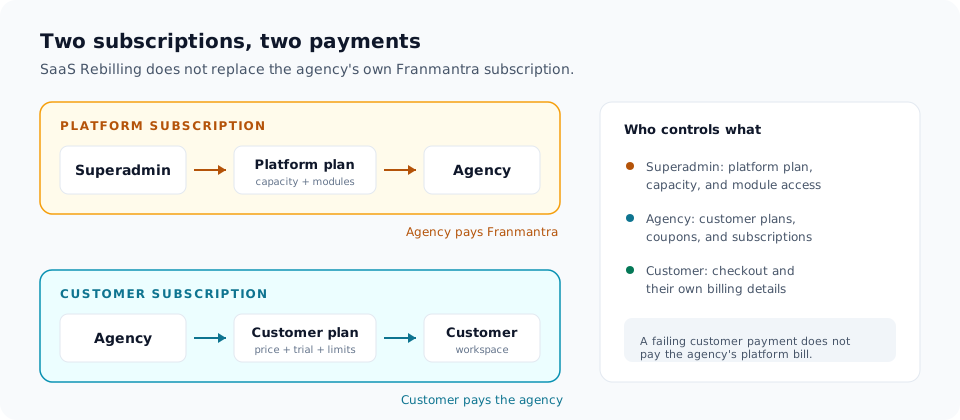
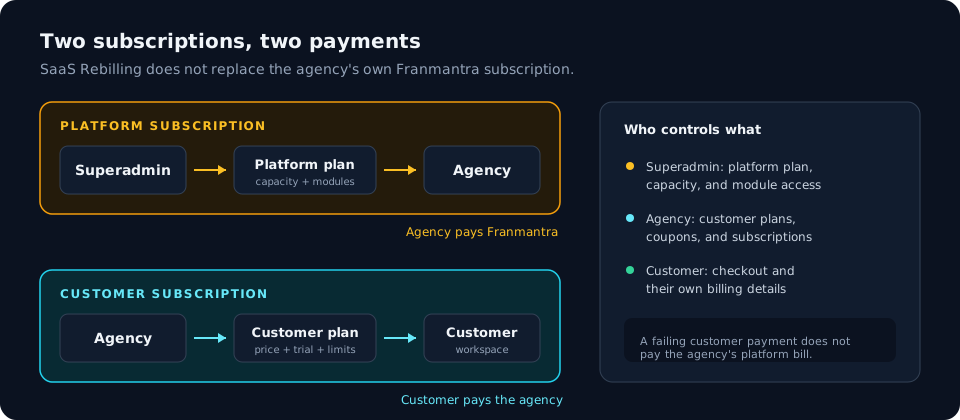
Two separate payment relationships exist at the same time:
- The agency pays Franmantra for the agency's platform subscription.
- The customer pays the agency for the customer plan assigned to its workspace.
These are not the same subscription. A customer's payment does not replace or pay the agency's own Franmantra bill, and a problem with the agency's platform bill does not automatically remove a customer's already-paid access.
When To Use It
Use Customer Billing when you want to:
- Sell CRM access to your own customers under your own pricing.
- Give a customer a monthly, quarterly, or yearly subscription.
- Offer a free trial before the first charge.
- Give a customer free access until a specific date without starting a charge.
- Apply a discount with a coupon.
- Review which customer workspaces have paid, are in a trial, or still need checkout.
- Change a customer's plan, cancel a subscription at the end of a paid period, or refresh a subscription's payment status.
- Give an existing subscriber a 100% discount for a promised period.
Who Does What
| Role | Where they work | What they control |
|---|---|---|
| Superadmin | Settings > Plans and Agencies | The platform plan sold to the agency, customer workspace capacity, and whether the agency can use SaaS Rebilling |
| Agency administrator | Settings > Customer Billing | Customer plans, coupons, which customers are billed, and customer subscriptions |
| Agency staff with customer billing permission | Settings > Customer Billing | Read access, sales actions, or operations actions, depending on the permission assigned to the role |
| Customer administrator | The checkout screen and Settings > Billing | Their own workspace subscription, payment details, and cancellation request |
| Customer staff | Settings > Billing | Viewing the customer subscription when their role allows billing access |
The Customer Billing menu item appears only when the agency has the SaaS Rebilling module and the user has the customer billing read permission. The API enforces the same rule, so a hidden menu item is not the only protection.
The Three Tabs
Plans
A plan is the customer-facing offer. It contains a name, price, currency, billing frequency, optional trial, and workspace limits for user seats and contacts.
A plan is stored as versions. When you create a plan, Franmantra creates a draft version. You can review it before you publish it. A published version can be assigned to a customer workspace or shown at checkout.
Editing a published plan does not change its terms for existing customers. Franmantra saves your changes as a new draft version, and you publish that version when it is ready.
Coupons
A coupon is a discount that can be attached when billing is assigned or entered by the customer at checkout. A coupon can be limited by percentage or fixed amount, duration, expiry date, redemption count, eligible plan versions, and eligible sub-accounts.
Coupons apply to the customer subscription only. They do not change the agency's platform bill.
Sub Accounts
The Sub Accounts tab is the agency's subscription list. Each row shows the customer workspace, its current plan, its subscription status, the date access lasts until, any scheduled change, and the available actions.
Use this tab to add billing to an existing workspace, review checkout progress, change a plan, schedule cancellation, schedule a 100% discount, or reconcile the subscription with the payment provider.
The Customer Journey
The complete journey looks like this:
- The superadmin creates a platform plan and includes SaaS Rebilling.
- The superadmin assigns the plan to the agency and confirms that the SaaS Rebilling module is on.
- The agency connects its Stripe account in Settings > Customer Billing.
- The agency creates a customer plan and publishes it.
- The agency invites a customer as Billed, or adds billing to an existing workspace.
- The customer opens the checkout screen and completes the Plan, Discount, and Payment steps.
- The customer workspace receives CRM access within the plan limits.
- The agency and the customer review the subscription and manage renewals, plan changes, discounts, and cancellation.
How Access Is Decided
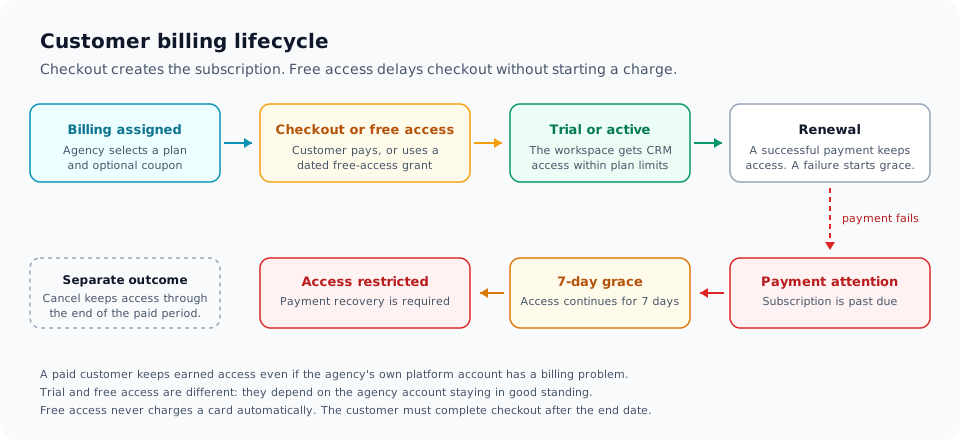
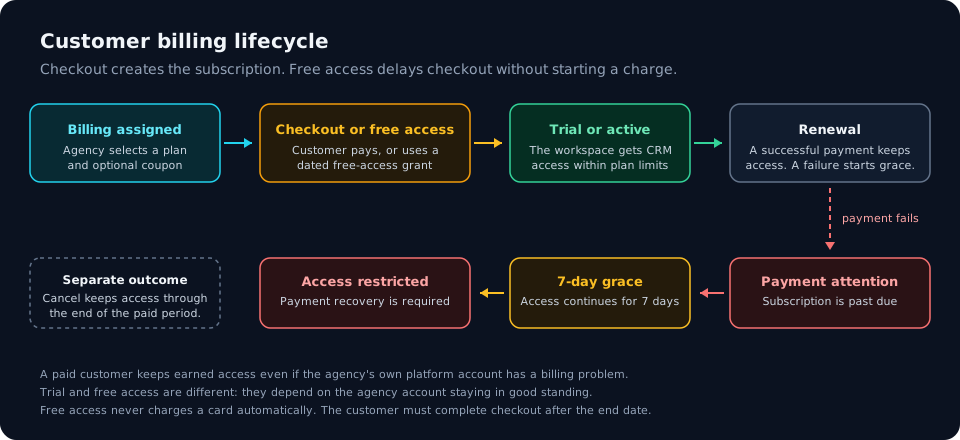
Customer access is checked continuously. A customer does not keep access only because a plan is assigned; the subscription must be in a state that grants access.
| State | What it means | What the customer can do |
|---|---|---|
| Checkout required | A plan is assigned but no paid or valid free subscription exists. | Complete checkout to start the subscription. |
| Free access | The agency granted 100% free access until a chosen date and time. | Use the CRM until that date. No card is charged automatically. |
| Trial | The plan offers a free trial and the trial has not ended. | Use the CRM within the plan limits until the trial ends. |
| Active | The subscription has a verified paid period. | Use the CRM within the plan limits. |
| Payment attention | A renewal payment failed. | Access continues during the 7-day grace period while payment is recovered. |
| Access restricted | The grace period ended, the trial expired, or the subscription is otherwise not in good standing. | Complete payment recovery or checkout. Billing recovery remains available to an authorized administrator. |
| Cancelled | The subscription ended at the period end. | Reactivate by assigning billing and completing checkout again. |
Three rules matter when you explain access to a customer:
- A paid customer keeps earned access for the paid period even if the agency's own platform account has a payment problem.
- A trial or free-access customer depends on the agency account staying in good standing. If the agency account cannot use the CRM, those access reasons do not grant access.
- Dates are exact. Access at the expiration instant is denied, so a subscription that ends at 10:00 is no longer valid at 10:00.
What the Customer Sees
When a billed customer signs in, Franmantra checks whether a valid subscription exists. If checkout is required, the checkout screen opens and the customer completes the three steps.
After checkout, Settings > Billing shows a Customer subscription card with:
- The customer plan name.
- The price and billing interval.
- The subscription status, such as Trial, Current plan, Payment attention, or Cancelled.
- The renewal date or the trial end date.
- The user-seat and contact limits.
- Any coupon applied by the agency.
- A Cancel subscription action when cancellation is allowed.
The customer cannot change the plan that the agency assigned. Plan changes and customer-level billing controls stay with the agency.
What the Agency Sees
For each customer, the Sub Accounts tab shows the information needed to support the account without opening the payment provider:
- Sub-account and customer email.
- Current plan and plan version details.
- Status, using the subscription status returned by the payment provider.
- Access until, which shows free access, earned access, or the current period end.
- Scheduled change, such as a plan change or a cancellation.
- Actions, including Add billing, Edit billing, Change plan, Cancel at period end, Reconcile, and Schedule 100% discount.
The Add billing and Edit billing actions only select terms. They do not charge the customer and do not complete checkout.
Plan Versions and Existing Customers
Customer plan versions are immutable records. Publishing a version makes it available for new assignments and checkout. Existing subscriptions keep the plan version they were assigned to until a plan change is scheduled and takes effect at the next renewal.
This protects existing customers from silent price changes:
- Changing a plan creates a new draft version.
- The published version stays available until you publish the new version.
- An existing customer is not moved to the new price automatically.
- Change plan schedules the move for the next renewal.
Notes
- Customer billing supports USD only. The currency field is fixed to USD.
- Every saved customer plan version creates a recurring Stripe price in the agency's connected Stripe account. The Stripe price is created when the plan version is saved.
- The agency must connect Stripe before it can create customer plans or assign billing.
- The agency's special master sub-account is not a customer billing row and cannot receive customer billing.
- A disabled workspace cannot receive billing. Activate the workspace first.
- A workspace that already has an active subscription must be managed through its existing subscription instead of a new billing assignment.
- Free access and an assigned checkout coupon cannot be combined. Choosing free access replaces an assigned checkout coupon.
- A coupon that has been redeemed cannot be edited. Deactivate it and create a replacement instead.