Duplicate a Template
What This Is
Template duplication creates a new copy of an existing email or SMS template. The copy keeps the original template content and settings, while you provide a new name for the copy.
When To Use It
Use this when a message is mostly correct but needs a different name or small changes for another campaign, team, or audience.
Before You Start
- Sign in with permission to write templates.
- Make sure the template you want to copy already exists in Settings > Template.
- Choose a name that clearly distinguishes the copy from the original.
Steps
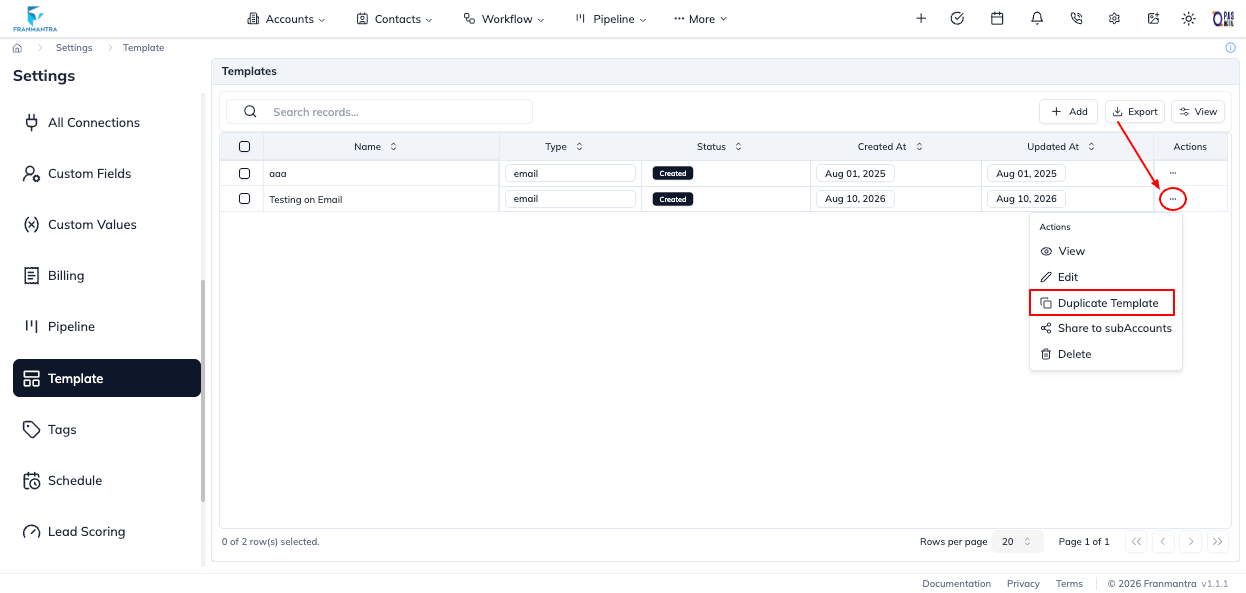
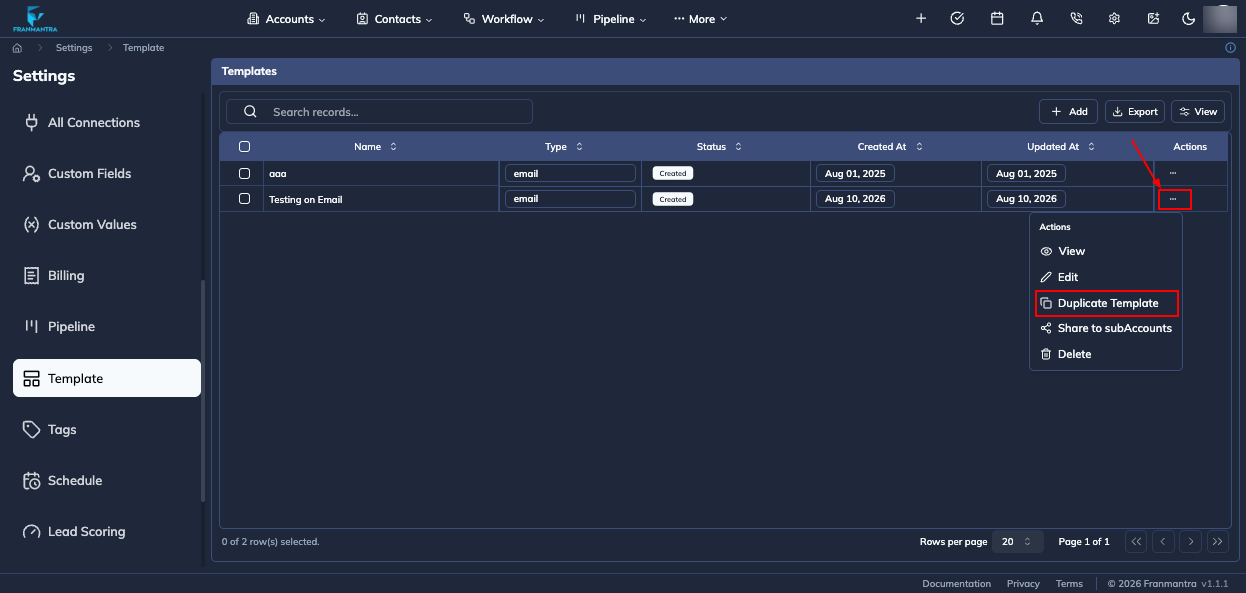
- Open Settings > Template.
- Find the email or SMS template you want to copy.
- Open the row's actions menu.
- Click Duplicate Template.
- Enter the new name in Template Name.
- Click Duplicate.
The new template is added to the template list. Open its actions menu and choose View or Edit to review or change the copy.
Result
Franmantra creates a separate template with the copied content and the new name. Changes to the copy do not rename the original template.
Notes and Troubleshooting
- The template name is required and may contain letters, numbers, spaces, periods, apostrophes, and hyphens.
- If the original template cannot be found, duplication cannot be completed.
- The current repository does not include a dedicated screenshot of the Duplicate Template dialog.